
 Nikolay Sivko
12d24bf447
capturing Postgres queries at the eBPF level
Nikolay Sivko
12d24bf447
capturing Postgres queries at the eBPF level
|
3 vuotta sitten | |
|---|---|---|
| .github | 3 vuotta sitten | |
| cgroup | 3 vuotta sitten | |
| common | 4 vuotta sitten | |
| containers | 3 vuotta sitten | |
| ebpftracer | 3 vuotta sitten | |
| flags | 3 vuotta sitten | |
| logs | 4 vuotta sitten | |
| manifests | 4 vuotta sitten | |
| node | 4 vuotta sitten | |
| pinger | 4 vuotta sitten | |
| proc | 3 vuotta sitten | |
| .dockerignore | 3 vuotta sitten | |
| .gitignore | 4 vuotta sitten | |
| Dockerfile | 3 vuotta sitten | |
| LICENSE | 4 vuotta sitten | |
| README.md | 4 vuotta sitten | |
| go.mod | 3 vuotta sitten | |
| go.sum | 3 vuotta sitten | |
| main.go | 4 vuotta sitten |
README.md
Coroot-node-agent

The agent gathers metrics related to a node and the containers running on it, and it exposes them in the Prometheus format.
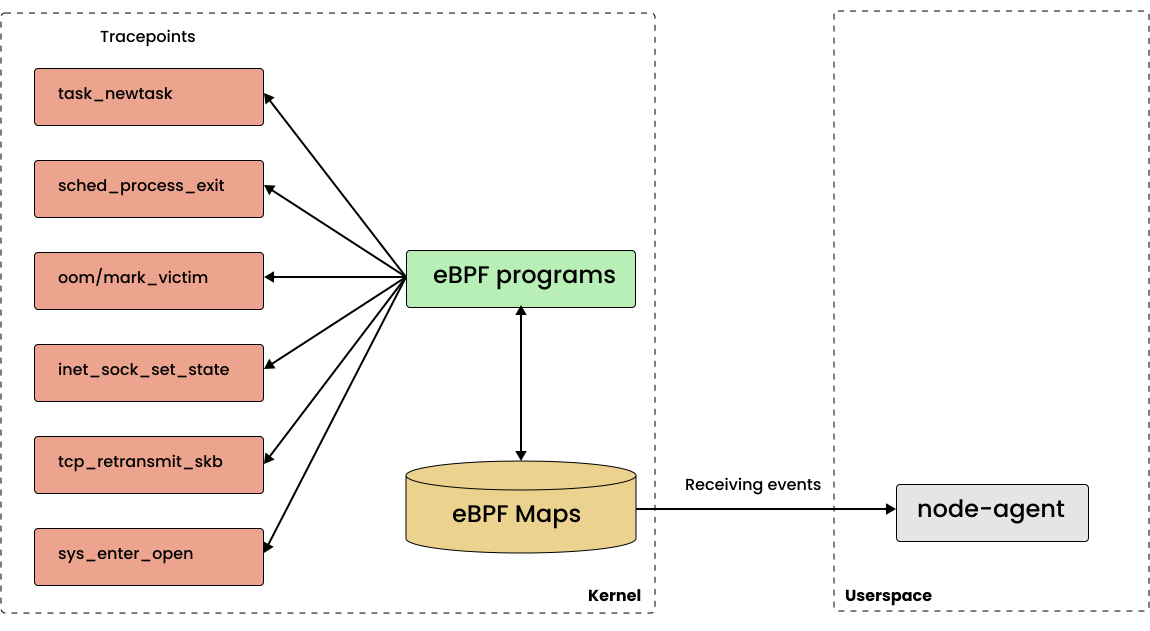
It uses eBPF to track container related events such as TCP connects, so the minimum supported Linux kernel version is 4.16.
Features
TCP connection tracing
To provide visibility into the relationships between services, the agent traces containers TCP events, such as connect() and listen().
Exported metrics are useful for:
- Obtaining an actual map of inter-service communications. It doesn't require integration of distributed tracing frameworks into your code.
- Detecting connections errors from one service to another.
- Measuring network latency between containers, nodes and availability zones.
Related blog posts:
- Building a service map using eBPF
- How ping measures network round-trip time accurately using SO_TIMESTAMPING
The current state of eBPF portability
Log patterns extraction
Log management is usually quite expensive. In most cases, you do not need to analyze each event individually. It is enough to extract recurring patterns and the number of the related events.
This approach drastically reduces the amount of data required for express log analysis.
The agent discovers container logs and parses them right on the node.
At the moment the following sources are supported:
- Direct logging to files in /var/log/
- Journald
- Dockerd (JSON file driver)
- Containerd (CRI logs)
To learn more about automated log clustering, check out the blog post "Mining metrics from unstructured logs".
Delay accounting
Delay accounting allows engineers to accurately identify situations where a container is experiencing a lack of CPU time or waiting for I/O.
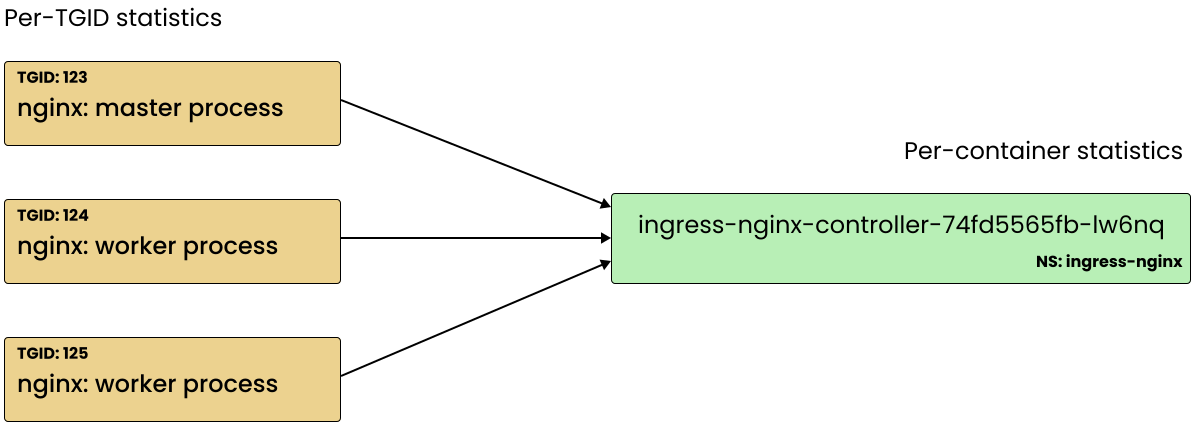
The agent gathers per-process counters through Netlink and aggregates them into per-container metrics:
Related blog posts:
Out-of-memory events tracing
The container_oom_kills_total metric shows that a container has been terminated by the OOM killer.
Instance meta information
If a node is a cloud instance, the agent identifies a cloud provider and collects additional information using the related metadata services.
Supported cloud providers: AWS, GCP, Azure, Hetzner
Collected info:
- AccountID
- InstanceID
- Instance/machine type
- Region
- AvailabilityZone
- AvailabilityZoneId (AWS only)
- LifeCycle: on-demand/spot (AWS and GCP only)
- Private & Public IP addresses
Related blog posts:
Run
Requirements
The agent requires some privileges for getting access to container data, such as logs, performance counters and TCP sockets:
- privileged mode (
securityContext.privileged: true) - the host process ID namespace (
hostPID: true) /sys/fs/cgroupand/sys/kernel/debugshould be mounted to the agent's container
Kubernetes
apiVersion: v1
kind: Namespace
metadata:
  name: coroot

---

apiVersion: apps/v1
kind: DaemonSet
metadata:
  labels:
    app: coroot-node-agent
  name: coroot-node-agent
  namespace: coroot
spec:
  selector:
    matchLabels:
      app: coroot-node-agent
  template:
    metadata:
      labels:
        app: coroot-node-agent
      annotations:
        prometheus.io/scrape: 'true'
        prometheus.io/port: '80'
    spec:
      tolerations:
        - operator: Exists
      hostPID: true
      containers:
        - name: coroot-node-agent
          image: ghcr.io/coroot/coroot-node-agent:latest
          args: ["--cgroupfs-root", "/host/sys/fs/cgroup"]
          ports:
            - containerPort: 80
              name: http
          securityContext:
            privileged: true
          volumeMounts:
            - mountPath: /host/sys/fs/cgroup
              name: cgroupfs
              readOnly: true
            - mountPath: /sys/kernel/debug
              name: debugfs
              readOnly: false
      volumes:
        - hostPath:
            path: /sys/fs/cgroup
          name: cgroupfs
        - hostPath:
            path: /sys/kernel/debug
          name: debugfs
If you use Prometheus Operator, you will also need to create a PodMonitor:
apiVersion: monitoring.coreos.com/v1
kind: PodMonitor
metadata:
  name: coroot-node-agent
  namespace: coroot
spec:
  selector:
    matchLabels:
      app: coroot-node-agent
  podMetricsEndpoints:
    - port: http
Make sure the PodMonitor matches podMonitorSelector defined in your Prometheus:
apiVersion: monitoring.coreos.com/v1
kind: Prometheus
...
spec:
  ...
  podMonitorNamespaceSelector: {}
  podMonitorSelector: {}
  ...
The special value {} allows Prometheus to watch all the PodMonitors from all namespaces.
Docker
docker run --detach --name coroot-node-agent \
    --privileged --pid host \
    -v /sys/kernel/debug:/sys/kernel/debug:rw \
    -v /sys/fs/cgroup:/host/sys/fs/cgroup:ro \
    ghcr.io/coroot/coroot-node-agent --cgroupfs-root=/host/sys/fs/cgroup
Flags
usage: coroot-node-agent [<flags>]

Flags:
      --listen="0.0.0.0:80"  Listen address - ip:port or :port
      --cgroupfs-root="/sys/fs/cgroup"
                             The mount point of the host cgroupfs root
      --no-parse-logs        Disable container logs parsing
      --no-ping-upstreams    Disable container upstreams ping
      --track-public-network=TRACK-PUBLIC-NETWORK ...
                             Allow track connections to the specified IP networks, all private networks are allowed by default (e.g., Y.Y.Y.Y/mask)
      --provider=PROVIDER    `provider` label for `node_cloud_info` metric
      --region=REGION        `region` label for `node_cloud_info` metric
      --availability-zone=AVAILABILITY-ZONE
                             `availability_zone` label for `node_cloud_info` metric
Metrics
The collected metrics are described here.
Coroot live demo
Coroot turns telemetry data gathered by node-agent into answers about app issues and how to fix them.
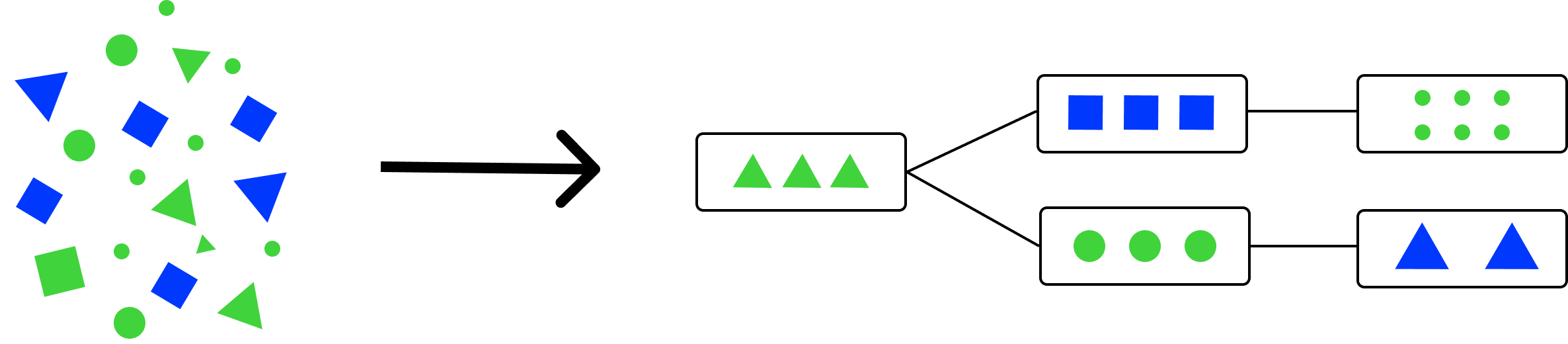
Live demo is available at https://coroot.com/demo.
License
Coroot-node-agent is licensed under the Apache License, Version 2.0.
The BPF code is licensed under the General Public License, Version 2.0.